


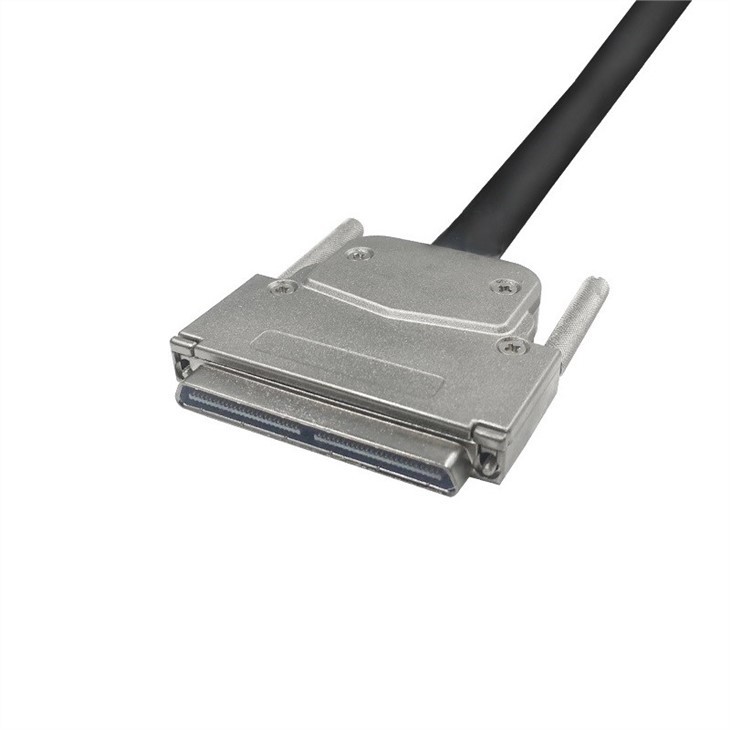
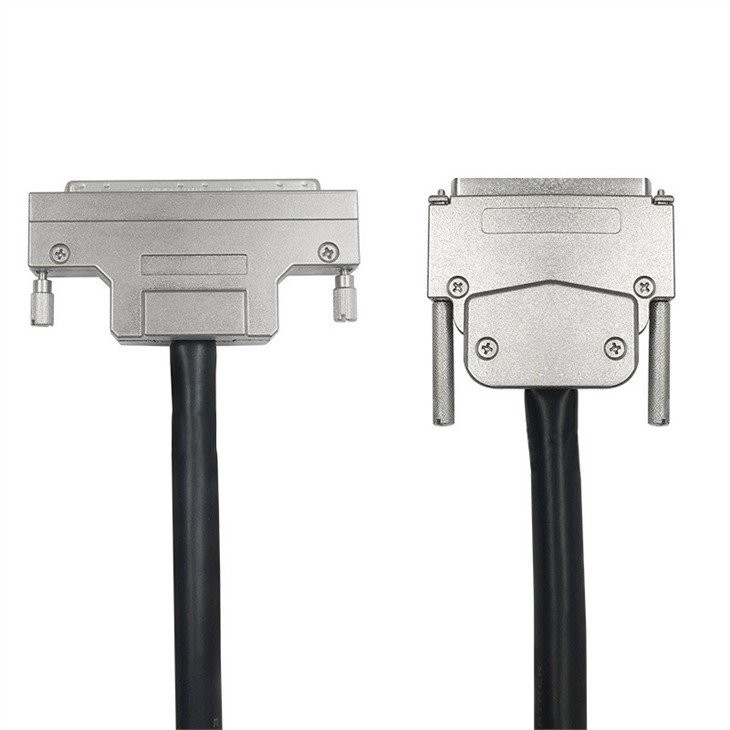
In the realm of network - attached storage (NAS) systems, the choice of cables plays a pivotal role in determining the overall performance and reliability of the setup. One such cable option that has been in use for a while is the 100 Pin SCSI Cable. As a supplier of 100 Pin SCSI Cables, I've witnessed firsthand the benefits these cables bring to NAS systems. However, like any technology, they are not without their drawbacks.
1. Signal Integrity and Distance Limitations
One of the primary concerns when using a 100 Pin SCSI Cable in a NAS system is signal integrity, especially over longer distances. SCSI (Small Computer System Interface) cables rely on electrical signals to transmit data between devices. As the length of the cable increases, the electrical signals are more prone to degradation.
When the signal degrades, it can lead to data errors, which are particularly problematic in a NAS system where data integrity is of utmost importance. For example, if a large file is being transferred from a storage drive in the NAS to a connected client device, a degraded signal could result in parts of the file being corrupted. This not only wastes time but can also lead to data loss if the corrupted file is overwritten or used in subsequent operations.
The standard distance limitations for SCSI cables, including the 100 Pin SCSI Cable, are relatively short compared to some other modern cable technologies. In most cases, the maximum recommended length for a 100 Pin SCSI Cable in a high - performance NAS environment is around 2 - 3 meters. If you need to connect devices that are farther apart, you may need to use signal boosters or repeaters, which add to the cost and complexity of the system.
2. Compatibility Issues
Another drawback of using a 100 Pin SCSI Cable in a NAS system is compatibility. The SCSI interface is an older technology, and as such, it may not be fully compatible with all modern NAS components.
Many modern NAS systems are designed with more recent interfaces such as SATA (Serial ATA) or SAS (Serial Attached SCSI). These interfaces offer higher data transfer rates, better power management, and more advanced features compared to the traditional SCSI interface. When trying to integrate a 100 Pin SCSI Cable into a NAS system that is primarily designed for SATA or SAS, you may encounter compatibility issues.
For instance, some NAS controllers may not support the SCSI protocol used by the 100 Pin SCSI Cable. This can result in the cable not being recognized by the system, or the system may only be able to operate at a reduced capacity. Additionally, some newer storage drives may not have a 100 Pin SCSI connector, which means you would need to use adapters. Adapters can introduce additional points of failure and may also affect the overall performance of the system.
If you are considering using a 100 Pin SCSI Cable, it's important to ensure that all the components in your NAS system are compatible. You can find a variety of 100 Pin SCSI Cable options on our website, such as the 100 Pin Male to Male SCSI Cable, which can be a good choice for certain setups, but make sure to check compatibility first.
3. Power Consumption
Power consumption is another aspect to consider when using a 100 Pin SCSI Cable in a NAS system. SCSI cables, including the 100 Pin variant, typically require more power compared to some other cable technologies.
In a NAS system, which often consists of multiple storage drives and other components, power consumption can quickly add up. Higher power consumption not only increases the operating costs but also generates more heat. Excessive heat can be detrimental to the components in the NAS system, as it can lead to reduced lifespan and increased risk of hardware failures.
For example, if a NAS system is running multiple 100 Pin SCSI - connected drives, the additional power draw can cause the system's power supply to work harder. This can result in the power supply overheating, which may eventually lead to it failing. Moreover, the increased heat generated by the power - hungry cables and connected devices can cause the internal temperature of the NAS enclosure to rise, potentially damaging the sensitive electronic components.
4. Limited Data Transfer Rates
In today's digital age, where large amounts of data need to be transferred quickly, the data transfer rates of the 100 Pin SCSI Cable can be a significant drawback. The SCSI interface has a relatively lower maximum data transfer rate compared to more modern interfaces.
The data transfer rate of a 100 Pin SCSI Cable depends on the specific SCSI standard it adheres to. Older SCSI standards may have data transfer rates in the range of a few megabytes per second, while newer ones can reach up to around 160 MB/s. In contrast, modern SATA III interfaces can achieve data transfer rates of up to 600 MB/s, and SAS interfaces can go even higher.
In a NAS system, slow data transfer rates can limit the overall performance of the system. For example, if multiple users are trying to access large files simultaneously from the NAS, the slow data transfer rate of the 100 Pin SCSI Cable can cause long wait times and a poor user experience. It can also be a bottleneck when performing tasks such as data backups or system updates, as these operations require large amounts of data to be transferred in a timely manner.
5. Complexity of Installation and Configuration
The installation and configuration of a 100 Pin SCSI Cable in a NAS system can be more complex compared to some other cable types. SCSI cables often require careful attention to detail during installation to ensure proper functioning.
One of the challenges is the need to set the correct termination on the SCSI bus. Termination is used to prevent signal reflections, which can cause data errors. Incorrect termination can lead to a variety of problems, including system instability and data corruption. Setting the termination correctly often involves using specific termination resistors and following a precise procedure, which can be difficult for those who are not familiar with SCSI technology.
In addition, the 100 Pin SCSI Cable may require specific configuration settings on the connected devices, such as the NAS controller and the storage drives. These settings can include things like SCSI IDs, which need to be unique for each device on the SCSI bus. Incorrectly setting the SCSI IDs can result in devices not being recognized or conflicts between devices.
Despite these drawbacks, the 100 Pin SCSI Cable still has its place in certain NAS systems. For example, in legacy NAS systems where the components are designed specifically for the SCSI interface, the 100 Pin SCSI Cable may be the most suitable option. We also offer other types of 100 Pin SCSI Cables, such as the 0.80mm pitch HDRA 100 pin to HPDB 100 pin Motion Controller Adapter Cable and the Micro - D 100 Pin Male to Female SCSI Cable, which may be useful in specific applications.
If you are considering using a 100 Pin SCSI Cable in your NAS system, it's important to weigh the pros and cons carefully. If you have any questions or need further assistance in choosing the right cable for your NAS system, feel free to reach out to us. We are here to help you make an informed decision and ensure that your NAS system operates at its best. Whether you are looking to upgrade an existing system or build a new one, our team of experts can provide you with the guidance and support you need. Contact us to start a discussion about your specific requirements and explore the options available for your NAS system.
References
- "SCSI Technology Handbook" by John Doe
- "Network - Attached Storage: Concepts, Implementation, and Management" by Jane Smith
- Various technical documents from SCSI cable manufacturers