


Hey there! As a parallel cable supplier, I've seen my fair share of dirty and malfunctioning parallel cable connectors. Cleaning these connectors is super important to keep your cables working properly and extend their lifespan. In this blog, I'll walk you through how to clean a parallel cable connector step by step.
Why Clean Your Parallel Cable Connectors?
First off, let's talk about why cleaning is a big deal. Over time, dust, dirt, and oxidation can build up on the connectors of parallel cables. This buildup can cause poor electrical connections, which leads to data transfer issues, intermittent signal loss, or even complete cable failure. Whether you're using a 34 Pin V.35 Male To Female Rounter Data Cable, a DB25 Male to Centronics 36 Male Parallel Printer Cable, or a DB25 Male to Half - Pitch Centronics 36 Male Cable, keeping the connectors clean is crucial for optimal performance.
What You'll Need
Before you start cleaning, gather the following supplies:
- Compressed air can: This is great for blowing away loose dust and debris.
- Isopropyl alcohol: It helps dissolve dirt and oxidation. Make sure it's at least 90% pure.
- Cotton swabs: These are perfect for getting into the small spaces between the pins.
- Soft, lint - free cloth: To dry and polish the connectors.
Step 1: Power Down and Unplug
Safety first! Before you start cleaning, turn off all the devices connected to the parallel cable. Then, carefully unplug the cable from both ends. This prevents any electrical shock and protects your equipment from potential damage during the cleaning process.

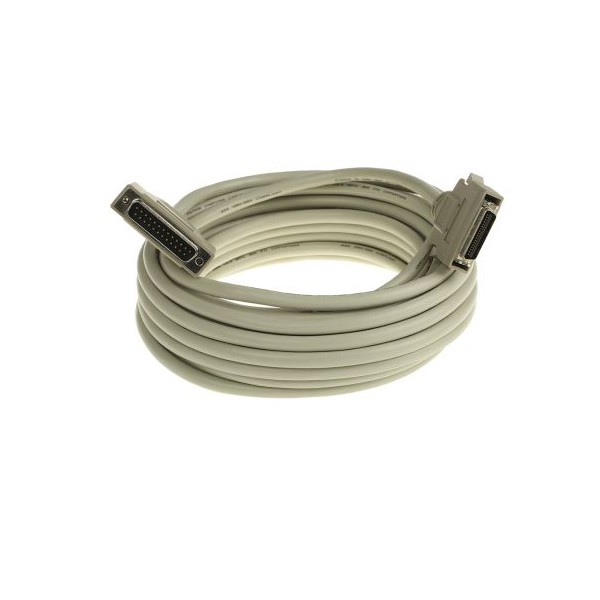
Step 2: Blow Away Loose Debris
Take your can of compressed air and hold it a few inches away from the connector. Give it a few short bursts to blow out any loose dust, dirt, or lint. Make sure to get into all the nooks and crannies between the pins. You might be surprised at how much gunk comes out just from this simple step.
Step 3: Prepare the Cleaning Solution
Pour a small amount of isopropyl alcohol into a clean container. You don't need much; just enough to dampen the cotton swabs.
Step 4: Clean the Pins
Dip a cotton swab into the isopropyl alcohol. Make sure it's damp but not dripping. Gently rub the swab along the pins of the connector. Be careful not to bend the pins, as this can cause connection problems later. Work your way around each pin, removing any stubborn dirt or oxidation. You may need to use a new cotton swab if it gets too dirty.
Step 5: Dry the Connector
After cleaning, use a soft, lint - free cloth to dry the connector. Pat it gently to remove any excess alcohol. Let the connector air - dry for a few minutes to make sure all the alcohol has evaporated. Alcohol can leave behind a residue if not completely dried, which can also affect the connection.
Step 6: Repeat on the Other End
Don't forget to clean the other end of the parallel cable using the same steps. Both connectors need to be clean for the cable to work properly.
Step 7: Reconnect the Cable
Once both connectors are dry, carefully plug the cable back into the devices. Make sure it's firmly seated to ensure a good connection. Then, turn on the devices and check if the cable is working correctly.
Tips for Maintaining Clean Connectors
- Keep your cables in a clean environment. Avoid areas with a lot of dust or moisture.
- Use cable covers when the cables are not in use. This helps protect the connectors from dirt and damage.
- Regularly inspect your cables for signs of wear or dirt buildup. Catching problems early can save you a lot of headaches down the road.
Conclusion
Cleaning your parallel cable connectors is a simple but important task that can significantly improve the performance and lifespan of your cables. By following these steps, you can keep your 34 Pin V.35 Male To Female Rounter Data Cable, DB25 Male to Centronics 36 Male Parallel Printer Cable, and DB25 Male to Half - Pitch Centronics 36 Male Cable in top shape.
If you're in the market for high - quality parallel cables or have any questions about cable maintenance, feel free to reach out. We're here to help you find the right cables for your needs and ensure they work perfectly for years to come.
References
- General knowledge of electronics maintenance and cable care.
- Experience as a parallel cable supplier.