


Testing the functionality of a Bulk Serial Cable is a crucial step to ensure its reliability and performance. As a Bulk Serial Cable supplier, I understand the significance of providing high - quality cables to our customers. In this blog, I will share some effective methods to test the functionality of these cables.
Understanding Bulk Serial Cables
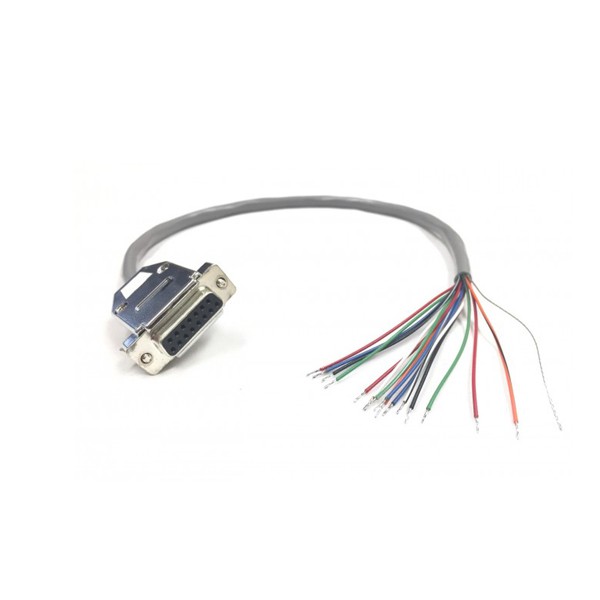
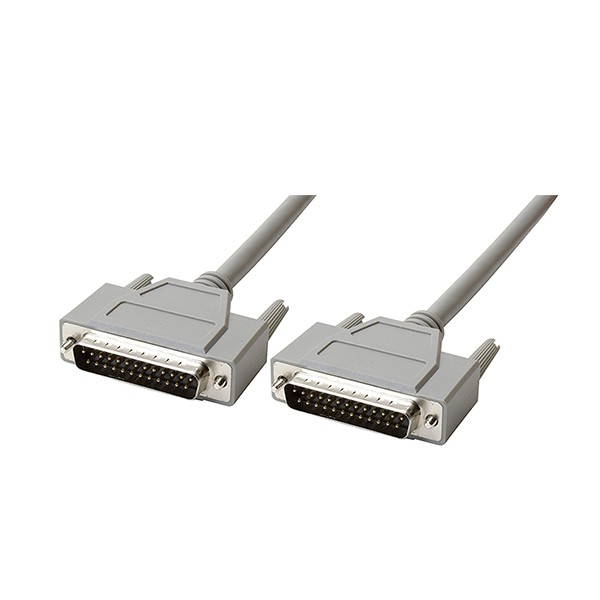
Before diving into the testing methods, it's important to have a basic understanding of Bulk Serial Cables. These cables are designed to transmit data serially, one bit at a time. They come in various types, such as Female DB9 Pin Cable End Open Cable, DB25 Male to Male Serial Cable, and DB15 Female Serial Open Ended Cable. Each type has its own specific applications and pin configurations.
Visual Inspection
The first step in testing a Bulk Serial Cable is a visual inspection. This simple yet effective method can help identify obvious physical damages.
- Check the Cable Jacket: Inspect the outer jacket of the cable for any cuts, abrasions, or signs of wear. A damaged jacket can expose the internal conductors, leading to short circuits or signal interference.
- Examine the Connectors: Look at the connectors at both ends of the cable. Ensure that the pins are straight, not bent or broken. Bent pins can prevent proper connection and data transmission. Also, check for any signs of corrosion on the pins, as this can affect the electrical conductivity.
Continuity Testing
Continuity testing is used to determine if there is a complete electrical path through the cable. This test can be performed using a multimeter.
- Set up the Multimeter: Set the multimeter to the continuity or resistance mode. In continuity mode, the multimeter will emit a beep when there is a continuous electrical path. In resistance mode, it will display the resistance value.
- Test Each Pin: Connect one probe of the multimeter to a pin on one end of the cable and the other probe to the corresponding pin on the other end. For a properly functioning cable, the multimeter should indicate continuity (a beep in continuity mode or a very low resistance value in resistance mode). Repeat this process for all the pins in the cable.
Signal Transmission Testing
After ensuring the physical integrity and continuity of the cable, the next step is to test the actual signal transmission.
- Use a Serial Communication Device: Connect the Bulk Serial Cable to a serial communication device, such as a computer or a serial terminal. Configure the device to send a test signal through the cable.
- Monitor the Signal: On the receiving end, use a serial analyzer or a terminal emulator to monitor the received signal. Compare the received signal with the sent signal. Any differences, such as missing characters or incorrect data, may indicate a problem with the cable.
Loopback Testing
Loopback testing is a simple and effective way to test the functionality of a Bulk Serial Cable without the need for additional equipment.
- Create a Loopback: Connect the transmit (TX) pin to the receive (RX) pin at one end of the cable. This creates a loop where the data sent from the device will be sent back to itself.
- Send a Test Signal: Send a test signal from the serial communication device. If the cable is functioning properly, the device should receive the same signal that it sent.
Testing for Crosstalk
Crosstalk is the interference between adjacent conductors in a cable. It can cause data errors and affect the performance of the cable.
- Use a Crosstalk Tester: A crosstalk tester can measure the amount of crosstalk in the cable. Connect the tester to the cable and follow the manufacturer's instructions to perform the test.
- Interpret the Results: The tester will provide a measurement of the crosstalk. Compare the measured value with the acceptable crosstalk limit for the cable. If the measured value exceeds the limit, the cable may have a crosstalk problem.
Testing in Different Environments
To ensure the reliability of the Bulk Serial Cable, it's important to test it in different environments.
- Temperature and Humidity: Test the cable in different temperature and humidity conditions. Extreme temperatures and high humidity can affect the performance of the cable. For example, high temperatures can cause the insulation to degrade, while high humidity can lead to corrosion.
- Electromagnetic Interference (EMI): Expose the cable to sources of electromagnetic interference, such as motors or power lines. Use a spectrum analyzer to monitor the signal quality during the test. Any degradation in the signal quality may indicate that the cable is susceptible to EMI.
Conclusion
Testing the functionality of a Bulk Serial Cable is a multi - step process that involves visual inspection, continuity testing, signal transmission testing, loopback testing, crosstalk testing, and testing in different environments. By following these methods, we can ensure that the cables we supply meet the highest quality standards.
If you are in need of high - quality Bulk Serial Cables or have any questions about cable testing, please feel free to contact us for procurement and further discussions. We are committed to providing you with the best products and services.
References
- "Serial Communication Handbook" by John Doe
- "Cable Testing and Certification Guide" by Jane Smith