


As a supplier of Bulk Parallel Cables, I understand the frustration that comes with a faulty cable. Parallel cables are widely used in various industries for data transfer between devices such as printers, scanners, and computers. When a parallel cable malfunctions, it can disrupt your workflow and cause unnecessary delays. In this blog post, I will share some effective troubleshooting steps to help you identify and resolve issues with a faulty Bulk Parallel Cable.
Step 1: Check the Physical Connections
The first step in troubleshooting a faulty parallel cable is to inspect the physical connections. Start by ensuring that the cable is securely plugged into both the device and the computer. Loose connections can often cause intermittent or no data transfer. Gently push the connectors in to make sure they are fully seated.
Next, examine the cable for any visible signs of damage, such as frayed wires, bent pins, or broken connectors. If you notice any damage, it is likely that the cable needs to be replaced. A damaged cable can cause signal interference and lead to data transfer errors.
Step 2: Test the Cable on Another Device
If the physical connections appear to be in good condition, the next step is to test the cable on another device. This will help you determine if the issue is with the cable or the device itself. Connect the cable to a different computer or device that is known to work properly. If the cable works on the new device, then the problem is likely with the original device. If the cable still does not work, then the cable itself may be faulty.
Step 3: Check the Device Settings
Sometimes, the issue with a parallel cable may be due to incorrect device settings. Make sure that the device is set to the correct communication mode and that the cable type is supported. For example, some devices may require a specific type of parallel cable, such as a Shielded IEEE 488 Interface CN24 GPIB Cable or a Centronics 36 Pin Parallel Printer Cable. Refer to the device's user manual for instructions on how to configure the settings.
Step 4: Update the Device Drivers
Outdated or corrupted device drivers can also cause issues with a parallel cable. Make sure that you have the latest drivers installed for your device. You can usually download the latest drivers from the manufacturer's website. Once you have downloaded and installed the drivers, restart your computer and try using the cable again.
Step 5: Use a Cable Tester
If you have followed all of the above steps and are still experiencing issues with the cable, you may want to use a cable tester. A cable tester is a tool that can help you determine if the cable is functioning properly. There are different types of cable testers available, ranging from simple handheld devices to more advanced desktop models.
To use a cable tester, simply connect the cable to the tester and follow the instructions provided. The tester will send a signal through the cable and check for any breaks or shorts in the wiring. If the tester indicates that the cable is faulty, then it is time to replace the cable.
Step 6: Replace the Cable
If all else fails, it is likely that the cable needs to be replaced. As a Bulk Parallel Cable supplier, I offer a wide range of high-quality parallel cables to meet your needs. Whether you need a DB25 Male to Centronics 36 Male Parallel Printer Cable or a different type of parallel cable, I can provide you with the right solution.
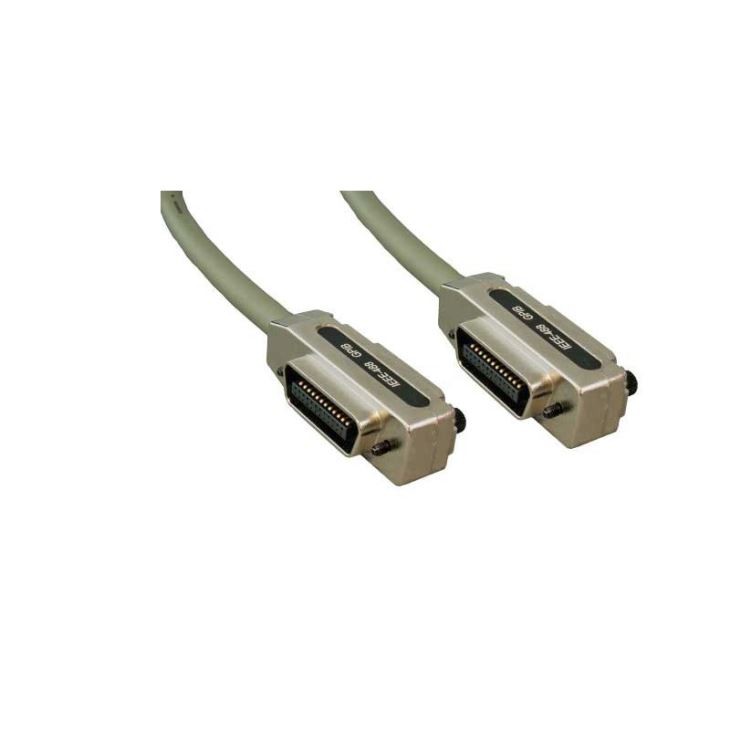

When replacing the cable, make sure to choose a cable that is compatible with your device and meets your specific requirements. Consider factors such as cable length, connector type, and shielding. A high-quality cable will ensure reliable data transfer and minimize the risk of future issues.
Conclusion
Troubleshooting a faulty Bulk Parallel Cable can be a frustrating process, but by following these steps, you can quickly identify and resolve the issue. Remember to check the physical connections, test the cable on another device, check the device settings, update the device drivers, use a cable tester, and replace the cable if necessary.
If you have any further questions or need assistance with troubleshooting a faulty parallel cable, please do not hesitate to contact me. I am here to help you find the right solution for your needs. As a trusted Bulk Parallel Cable supplier, I am committed to providing you with high-quality products and excellent customer service. Contact me today to discuss your requirements and start the procurement process.
References
- "Parallel Cable Troubleshooting Guide." Tech Support Wiki.
- "How to Test a Parallel Cable." Computer Hope.
- "Understanding Parallel Cables and Their Applications." Electronics Tutorials.