




Hey there! As a supplier of 36 Pin SCSI cables, I often get asked if these cables can be used in a Linux system. Well, let's dive right into it and find out.
Understanding SCSI Cables
First off, let's talk a bit about SCSI cables. SCSI, which stands for Small Computer System Interface, is an old - school but still useful technology for connecting various devices like hard drives, tape drives, and scanners to a computer. The 36 - pin SCSI cable is one type of cable in the SCSI family, and it comes in different configurations.
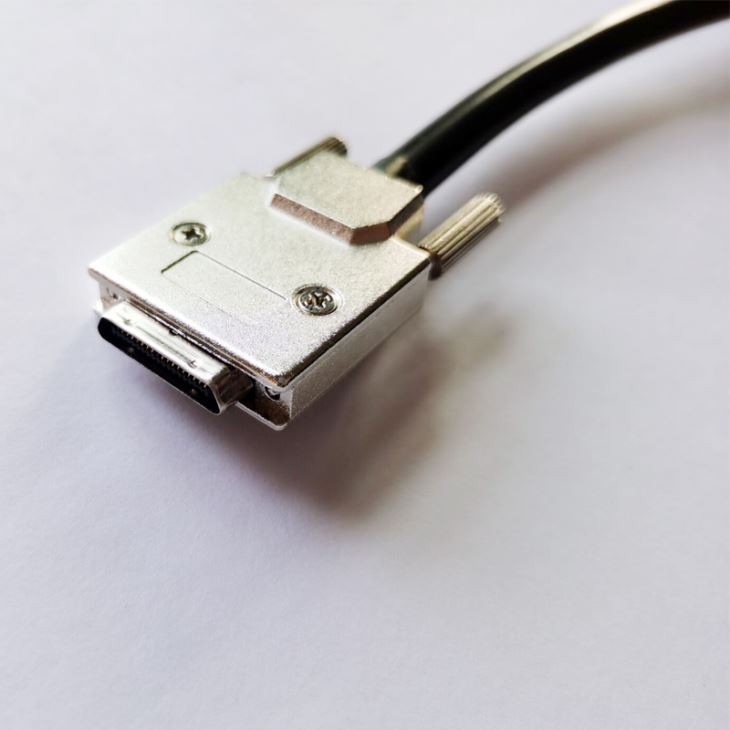
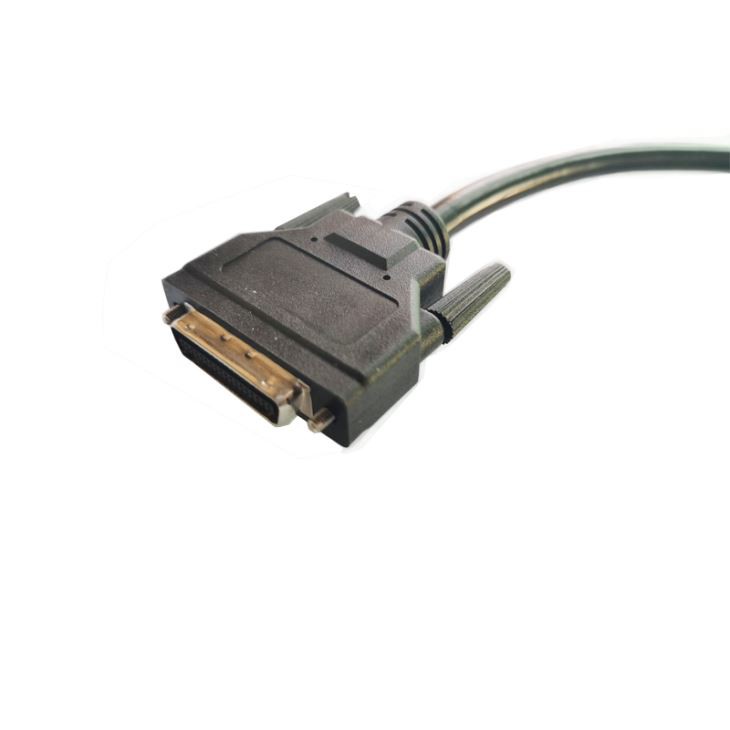
We've got the HPCN 36 Pin Male To Male SCSI Cable, the MDR 36 Position Plug Computer Cables, and the VHDCI 36 Pin To VHDCI 36 Pin Cable. Each of these cables has its own unique features and is designed for specific applications.
Compatibility with Linux Systems
Now, the big question: Can a 36 Pin SCSI cable be used in a Linux system? The short answer is yes, in most cases. Linux has always been pretty good at supporting a wide range of hardware, and SCSI devices are no exception.
Linux has built - in SCSI drivers, which means that if your system has the right kernel version and the necessary modules loaded, you should be able to use a 36 Pin SCSI cable to connect your SCSI devices. These drivers handle all the communication between the computer and the SCSI devices, making it possible for you to read from and write to them.
However, there are a few things you need to keep in mind. First of all, you need to make sure that your Linux system is configured to support SCSI devices. This usually involves loading the appropriate SCSI modules. You can do this by editing the /etc/modules file or using the modprobe command.
For example, if you're using a SCSI hard drive, you might need to load the sd_mod module. You can load it temporarily with the command sudo modprobe sd_mod, or you can add it to the /etc/modules file so that it gets loaded automatically at boot time.
Another thing to consider is the SCSI ID. Each SCSI device connected to a SCSI bus must have a unique ID, ranging from 0 to 7 or 0 to 15 depending on the SCSI bus type. You need to set the SCSI ID correctly on your devices to avoid conflicts.
Advantages of Using 36 Pin SCSI Cables in Linux Systems
There are several advantages to using 36 Pin SCSI cables in Linux systems.
High - Speed Data Transfer
SCSI devices are known for their high - speed data transfer rates. If you're using a SCSI hard drive or a tape drive, you can expect faster data access compared to some other storage technologies. This is especially useful for applications that require a lot of data to be transferred quickly, like database servers or media production systems.
Multiple Device Support
A SCSI bus can support multiple devices. You can connect several SCSI devices, such as hard drives, scanners, and tape drives, to a single SCSI controller using a 36 Pin SCSI cable. This makes it easy to expand your storage and device capabilities without having to add multiple controllers.
Reliability
SCSI technology has been around for a long time, and it's known for its reliability. SCSI devices are less likely to experience data corruption or other issues compared to some other types of storage. This is important for critical applications where data integrity is crucial.
Potential Issues and How to Solve Them
Of course, using 36 Pin SCSI cables in a Linux system isn't always a walk in the park. There are a few potential issues you might encounter.
Driver Compatibility
Sometimes, the SCSI drivers in your Linux kernel might not be fully compatible with your specific SCSI device or cable. If you're having trouble getting your SCSI device to work, you can try updating your kernel to the latest version. Most Linux distributions regularly release kernel updates that include bug fixes and improved driver support.
Cable Length and Signal Integrity
SCSI cables have a maximum recommended length. If you use a cable that's too long, you might experience signal degradation, which can lead to data transfer errors. Make sure to use a cable that's within the recommended length for your SCSI bus type.
Power Issues
Some SCSI devices require external power. If your SCSI device isn't working properly, check to make sure it's getting enough power. You might need to use a power supply adapter or a powered SCSI enclosure.
Conclusion and Call to Action
In conclusion, a 36 Pin SCSI cable can definitely be used in a Linux system. With the right configuration and a little bit of troubleshooting, you can enjoy the benefits of high - speed data transfer, multiple device support, and reliability.
If you're interested in purchasing 36 Pin SCSI cables for your Linux system or any other application, we've got a great selection of cables available. Just click on the links above to check out our HPCN 36 Pin Male To Male SCSI Cable, MDR 36 Position Plug Computer Cables, and VHDCI 36 Pin To VHDCI 36 Pin Cable. If you have any questions or need help with choosing the right cable, feel free to reach out and start a procurement discussion.
References
- Linux Documentation Project: SCSI HOWTO
- Various Linux kernel release notes for SCSI driver updates