




Hey there! As a supplier of 68 Pin SCSI Cables, I often get asked about how to ensure proper grounding of these cables. It's a crucial aspect that can significantly impact the performance and reliability of your SCSI system. So, let's dive right in and explore the ins and outs of grounding a 68 Pin SCSI Cable.
First off, let's understand why grounding is so important. In a SCSI system, electrical interference can cause all sorts of problems, like data errors, system crashes, and reduced performance. Proper grounding helps to minimize this interference by providing a path for unwanted electrical currents to flow safely to the ground. This way, the signal transmitted through the cable remains clean and stable, ensuring reliable data transfer.
Now, let's talk about the steps you can take to ensure proper grounding of a 68 Pin SCSI Cable.
1. Check the Cable Construction
The first thing you need to do is to make sure that the cable itself is designed with proper grounding in mind. A good 68 Pin SCSI Cable should have a shield that surrounds the signal wires. This shield is typically made of a conductive material, like aluminum or copper, and it helps to block out external electrical interference.
When you're buying a 68 Pin SCSI Cable, look for one that has a continuous shield that runs the entire length of the cable. The shield should also be properly terminated at both ends of the cable. This means that it should be connected to the grounding pins of the connectors.
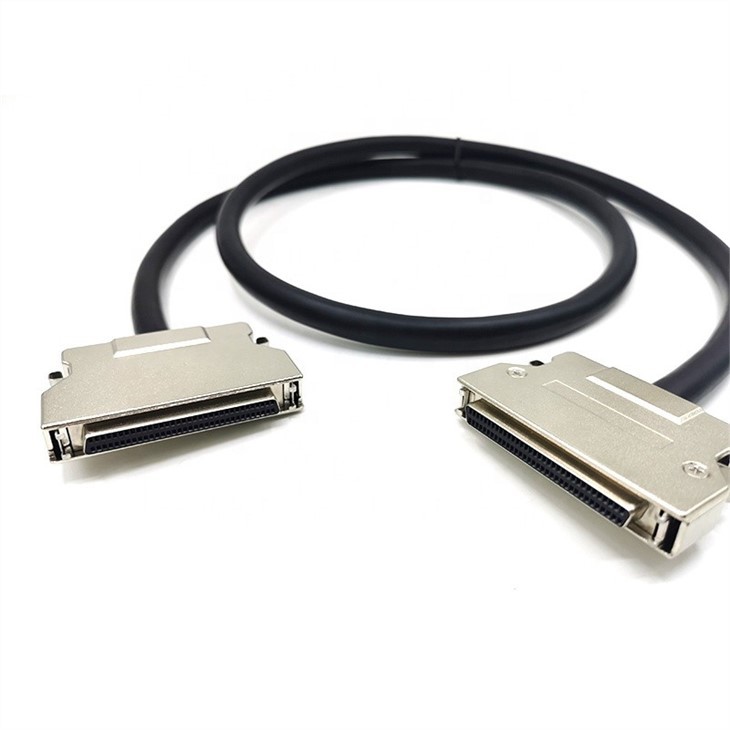
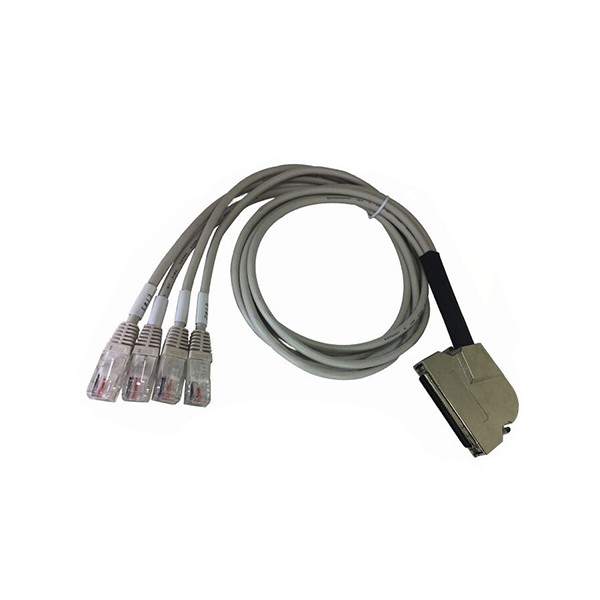
We offer a variety of 68 Pin SCSI Cables, such as the Right Angle MDR 68 to 4 Ports RJ45 Cable, HD68 Female To DB68 Female SCSI-III Cable, and Ultra320 SCSI 68 Five Drive Cable. All of our cables are designed with high-quality shielding and proper termination to ensure excellent grounding.
2. Properly Connect the Cable
Once you have a good cable, the next step is to connect it properly. When you're plugging in the 68 Pin SCSI Cable, make sure that the connectors are fully seated and that there are no loose connections. Loose connections can cause intermittent grounding problems, which can lead to signal degradation and data errors.
Also, make sure that the cable is not twisted or bent too tightly. Excessive bending or twisting can damage the shield and the signal wires inside the cable, which can affect the grounding and the overall performance of the cable.
3. Ground the Equipment
In addition to grounding the cable, you also need to make sure that the equipment connected to the cable is properly grounded. This includes the SCSI controller, the hard drives, and any other devices that are part of the SCSI system.
Most modern computer equipment has a built-in grounding mechanism. However, it's still a good idea to check the grounding of the equipment and make sure that it's connected to a proper electrical ground. You can use a multimeter to check the grounding of the equipment. If the grounding is not good, you may need to use a grounding strap or a grounding cable to connect the equipment to a proper ground.
4. Use a Grounding Block
Another way to ensure proper grounding of a 68 Pin SCSI Cable is to use a grounding block. A grounding block is a device that provides a common ground point for all the cables and equipment in the SCSI system.
When you're using a grounding block, make sure that it's connected to a proper electrical ground. You can then connect the shield of the 68 Pin SCSI Cable to the grounding block. This helps to ensure that all the cables in the system are grounded properly and that there is no electrical potential difference between the cables.
5. Check for Ground Loops
Ground loops can be a common problem in SCSI systems. A ground loop occurs when there are multiple paths for the electrical current to flow to the ground. This can cause a small electrical current to flow through the cable, which can interfere with the signal transmission.
To check for ground loops, you can use a ground loop isolator. A ground loop isolator is a device that breaks the ground loop and prevents the electrical current from flowing through the cable. If you find that there is a ground loop in your SCSI system, you can use a ground loop isolator to solve the problem.
6. Regular Maintenance
Finally, it's important to perform regular maintenance on your 68 Pin SCSI Cable and the SCSI system. This includes checking the cable for any signs of damage, such as cuts, abrasions, or loose connections. You should also clean the connectors regularly to ensure good electrical contact.
By performing regular maintenance, you can catch any potential grounding problems early and prevent them from causing serious issues with your SCSI system.
In conclusion, ensuring proper grounding of a 68 Pin SCSI Cable is essential for the reliable operation of your SCSI system. By following the steps outlined above, you can minimize the electrical interference and ensure that the signal transmitted through the cable remains clean and stable.
If you're in the market for a high-quality 68 Pin SCSI Cable, look no further. We offer a wide range of 68 Pin SCSI Cables that are designed with proper grounding in mind. Whether you need a Right Angle MDR 68 to 4 Ports RJ45 Cable, a HD68 Female To DB68 Female SCSI-III Cable, or an Ultra320 SCSI 68 Five Drive Cable, we've got you covered.
If you have any questions or need help choosing the right cable for your needs, don't hesitate to contact us. We're here to help you ensure that your SCSI system is up and running smoothly.
References
- "SCSI Handbook" by Andrew Tanenbaum
- "Computer Networking: A Top-Down Approach" by Andrew S. Tanenbaum and David J. Wetherall
- "Electrical Engineering for Non-Electrical Engineers" by Ronald A. Schmitt