


Hey there! As a supplier of 36 Pin SCSI Cables, I often get asked about how to test the functionality of these cables. It's a crucial step to ensure that the cables are working properly before they're used in any systems. In this blog, I'll walk you through the process of testing a 36 Pin SCSI Cable.
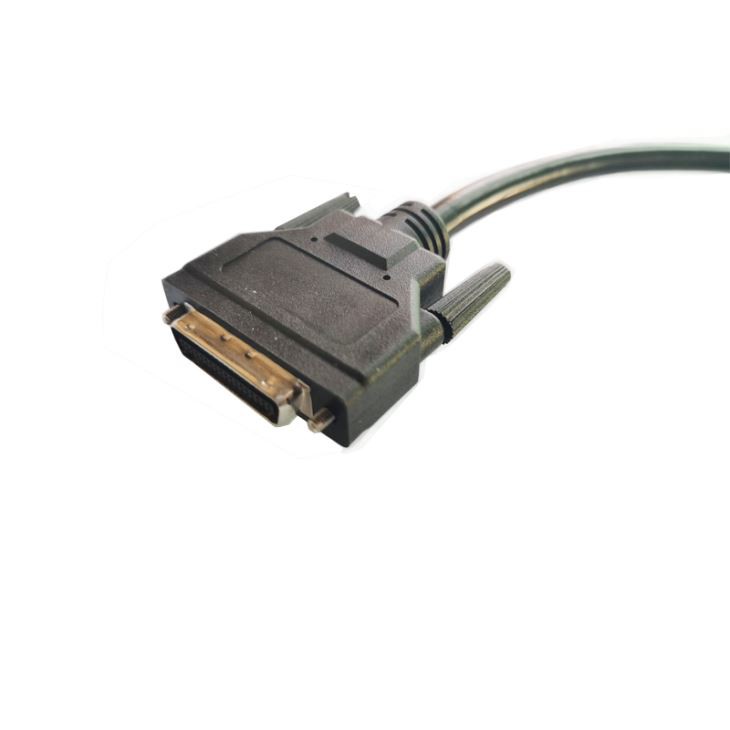
First off, let's understand what a 36 Pin SCSI Cable is. SCSI, which stands for Small Computer System Interface, is a set of standards for physically connecting and transferring data between computers and peripheral devices. The 36 Pin SCSI Cable is designed to support specific SCSI - related functions and is used in various setups, like in servers, storage systems, and some older computer hardware.

Tools You'll Need
To test a 36 Pin SCSI Cable, you'll need a few basic tools. A multimeter is the most important one. It's a handy device that can measure electrical properties such as voltage, current, and resistance. You'll also need a SCSI terminator. This is a device that helps to prevent signal reflections on the SCSI bus. And of course, you'll need a compatible SCSI device, like a SCSI hard drive or a SCSI tape drive.
Visual Inspection
Before you start using any tools, it's a good idea to do a visual inspection of the cable. Check for any obvious signs of damage, like frayed wires, bent pins, or cracked connectors. If you see any of these issues, the cable might be faulty and could cause problems later on. You can gently wiggle the connectors to see if there's any loose connection. Sometimes, a loose connection can mimic a faulty cable.
Continuity Testing with a Multimeter
The first electrical test you can do is a continuity test using a multimeter. Set your multimeter to the continuity mode. This mode will usually make a beeping sound when there's a continuous electrical path between the two probes.
Take one probe of the multimeter and touch it to one pin on one end of the 36 Pin SCSI Cable. Then, take the other probe and touch it to the corresponding pin on the other end of the cable. You should hear a beep if the cable has a continuous electrical path for that particular pin. Repeat this process for all 36 pins. If you don't hear a beep for a certain pin, it means there's a break in the wire for that pin, and the cable is likely faulty.
Resistance Testing
Another important test is the resistance test. Set your multimeter to the resistance mode. Just like in the continuity test, touch one probe to a pin on one end of the cable and the other probe to the corresponding pin on the other end. The resistance value you get should be very low, close to zero. A high resistance value could indicate a problem with the cable, such as a corroded connector or a damaged wire.
Testing with a SCSI Device
After the basic electrical tests, it's time to test the cable with an actual SCSI device. Connect one end of the 36 Pin SCSI Cable to your SCSI device, like a SCSI hard drive. Make sure to use a SCSI terminator on the device if it requires one. Then, connect the other end of the cable to a compatible SCSI controller on your computer or server.
Power on the system and see if the SCSI device is recognized. You can check the system's BIOS or use a disk management utility to see if the device shows up. If the device isn't recognized, there could be an issue with the cable.
Different Types of 36 Pin SCSI Cables
We offer a variety of 36 Pin SCSI Cables, each with its own unique features. For example, the SCSI CN 36 Pin Servo Breakout Board Cable is designed for specific servo - related applications. It provides a reliable connection for devices that require precise servo control.
The HPCN 36 Pin Male To Male SCSI Cable is great for direct connections between two SCSI devices. It's a simple and straightforward cable that ensures a stable data transfer between the connected devices.
And then there's the VHDCI 36 Pin To HPCN 36 Pin Cable. This cable is useful when you need to connect devices with different types of SCSI connectors. It bridges the gap between VHDCI and HPCN interfaces, allowing for seamless integration in your system.
Troubleshooting
If you've gone through all the tests and still can't get the cable to work properly, there are a few things you can do. First, double - check all your connections. Make sure the cables are firmly plugged in and the SCSI terminators are installed correctly.
If the problem persists, try using the cable with a different SCSI device or a different SCSI controller. This can help you determine if the issue is with the cable itself or with the connected devices.
Conclusion
Testing the functionality of a 36 Pin SCSI Cable is not overly complicated, but it does require a bit of patience and the right tools. By following the steps I've outlined in this blog, you can ensure that your cables are in good working condition.
If you're in the market for high - quality 36 Pin SCSI Cables, we've got you covered. Our cables are designed and tested to meet the highest standards. Whether you need a cable for a small home server or a large - scale data center, we have the right product for you. If you have any questions or want to discuss your specific requirements, feel free to reach out. We're always here to help you find the best solution for your needs.
References
- "SCSI Technology Handbook"
- Various online resources on SCSI cable testing and troubleshooting