


Hey there! As a supplier of VHDCI SCSI cables, I've seen firsthand how these cables perform in multi - device setups. In this blog, I'm gonna break down everything you need to know about how VHDCI SCSI cables hold up when you've got multiple devices in the mix.
What's a VHDCI SCSI Cable Anyway?
Before we dive into multi - device setups, let's quickly cover what a VHDCI SCSI cable is. SCSI (Small Computer System Interface) has been around for ages. It's a set of standards for physically connecting and transferring data between computers and peripheral devices. VHDCI (Very High - Density Connector Interface) is a type of connector used with SCSI.
VHDCI SCSI cables are known for their high - density connectors, which allow for more pins in a smaller space compared to some other SCSI connectors. This makes them great for environments where space is at a premium, like in server racks or high - end storage systems.
Performance in a Multi - Device Setup
1. Data Transfer Speed
One of the most important aspects of any cable in a multi - device setup is its data transfer speed. VHDCI SCSI cables are designed to handle high - speed data transfer. They can support data rates of up to several hundred megabytes per second, depending on the specific SCSI protocol being used.
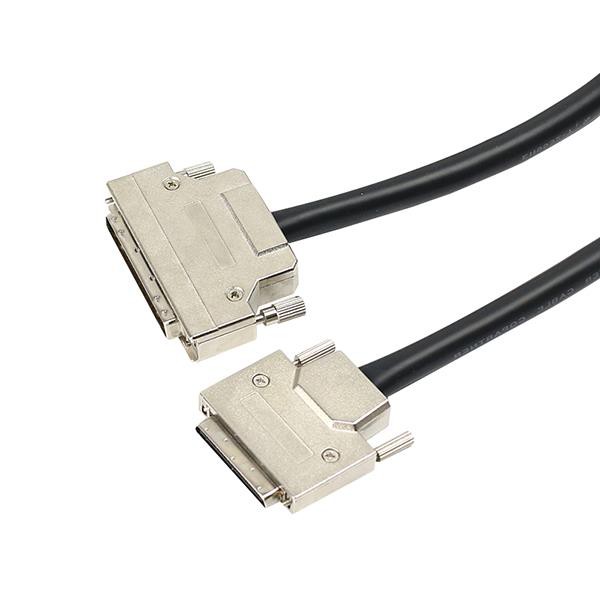

In a multi - device setup, multiple devices are trying to send and receive data simultaneously. The high - speed capabilities of VHDCI SCSI cables ensure that data can flow smoothly between all the connected devices. For example, in a storage area network (SAN) where you have multiple hard drives, tape drives, and servers all connected, the VHDCI SCSI cable can keep up with the data demands. This means less waiting time for data to be transferred, which is crucial for applications that require real - time data access, like video editing or financial trading systems.
2. Signal Integrity
Signal integrity is another key factor in a multi - device setup. When you have multiple devices connected, there's a higher chance of signal interference. VHDCI SCSI cables are built with shielding to protect the signals from external interference. The shielding helps to maintain the quality of the electrical signals traveling through the cable.
For instance, in a server room with a lot of electronic equipment, there are various sources of electromagnetic interference (EMI). Without proper shielding, the signals in the SCSI cable could get corrupted, leading to data errors or even device malfunctions. The shielding in VHDCI SCSI cables reduces the impact of EMI, ensuring that the data being transferred is accurate and reliable.
3. Device Compatibility
VHDCI SCSI cables are highly compatible with a wide range of SCSI devices. Whether you're connecting hard drives, tape drives, scanners, or other SCSI - enabled peripherals, these cables can usually do the job.
In a multi - device setup, you might have different types of devices from different manufacturers. The versatility of VHDCI SCSI cables means that you don't have to worry too much about compatibility issues. You can mix and match devices and still get them to work together seamlessly. For example, you could connect a high - end SCSI hard drive from one manufacturer with a SCSI tape drive from another, and the VHDCI SCSI cable will bridge the gap.
4. Cable Length and Flexibility
In a multi - device setup, you often need to run cables over different distances. VHDCI SCSI cables come in various lengths, which gives you the flexibility to set up your devices in different configurations. You can choose a shorter cable for devices that are close together, or a longer cable if you need to connect devices that are farther apart.
The cables are also relatively flexible, which makes them easy to route around other equipment. This is important in a crowded server rack or a data center, where you need to manage multiple cables without causing a mess. You can bend and twist the VHDCI SCSI cables to fit them into tight spaces, making the installation process much easier.
Types of VHDCI SCSI Cables for Multi - Device Setups
There are several types of VHDCI SCSI cables that are well - suited for multi - device setups.
- SCSI - 5 VHDCI to SCSI - 3 68 Pin SCSI Cable: This cable is great for connecting devices with different SCSI interfaces. It allows you to bridge the gap between SCSI - 5 VHDCI devices and SCSI - 3 68 - pin devices. In a multi - device setup, you might have some older devices with SCSI - 3 68 - pin connectors and newer devices with SCSI - 5 VHDCI connectors. This cable can make it possible to connect them all together.
- VHDCI 68 to 8 Port DB9 Cable: If you need to connect multiple serial devices to a SCSI system, this cable is a good choice. The 8 - port DB9 connectors allow you to connect up to eight serial devices to a single VHDCI 68 - pin interface. This is useful in setups where you have multiple small - scale devices, like barcode scanners or serial printers, that need to be integrated into a larger SCSI - based system.
- VHDCI 68 Pin to SCSI - 3 68 Pin Cable: This cable is a straightforward solution for connecting devices with VHDCI 68 - pin connectors to those with SCSI - 3 68 - pin connectors. It's a simple yet effective way to expand your multi - device setup by adding new devices or replacing old ones.
Potential Challenges in a Multi - Device Setup
Of course, no cable is perfect, and there are some potential challenges when using VHDCI SCSI cables in a multi - device setup.
1. Termination
SCSI systems require proper termination to work correctly. In a multi - device setup, ensuring that all the devices are terminated properly can be a bit tricky. If the termination is incorrect, it can lead to signal reflections, which can degrade the performance of the entire system. However, with a bit of knowledge and careful setup, this issue can be easily managed.
2. Power Consumption
Some SCSI devices can consume a significant amount of power. In a multi - device setup, the combined power consumption can be quite high. While the VHDCI SCSI cable itself doesn't consume power, it's important to make sure that your power supply can handle the load of all the connected devices. Otherwise, you might experience device failures or unstable performance.
Why Choose Our VHDCI SCSI Cables
As a VHDCI SCSI cable supplier, we take pride in offering high - quality cables. Our cables are tested to ensure that they meet the highest standards of performance and reliability. We use the best materials for shielding and conductors, which helps to maintain signal integrity and high - speed data transfer.
We also offer a wide range of cable types and lengths to suit your specific multi - device setup needs. Whether you're a small business setting up a simple storage system or a large enterprise with a complex SAN, we've got the right cable for you.
Contact Us for Your VHDCI SCSI Cable Needs
If you're looking to set up a multi - device system and need reliable VHDCI SCSI cables, we're here to help. We can provide you with expert advice on cable selection, installation, and troubleshooting. Don't hesitate to reach out and start a conversation about your requirements. We're committed to providing you with the best solutions for your multi - device setup.
References
- SCSI Technology Handbook. This book provides in - depth information about SCSI standards, protocols, and connectors, including VHDCI.
- Industry whitepapers on high - density SCSI cable performance in multi - device environments. These whitepapers offer real - world case studies and technical analysis of VHDCI SCSI cable performance.