




Managing multiple serial adapters on a single computer can be a challenging yet rewarding task, especially when you're looking to expand your device connectivity. As a serial adapter supplier, I've witnessed firsthand the growing demand for efficient management of these adapters in various industries. In this blog post, I'll share some practical tips and strategies to help you effectively manage multiple serial adapters on a single computer.
Understanding Serial Adapters
Before delving into the management strategies, it's essential to understand what serial adapters are and how they work. Serial adapters are hardware devices that allow a computer to communicate with serial devices, such as modems, barcode scanners, and industrial sensors. They convert the parallel data from the computer into serial data that can be transmitted over a serial cable.
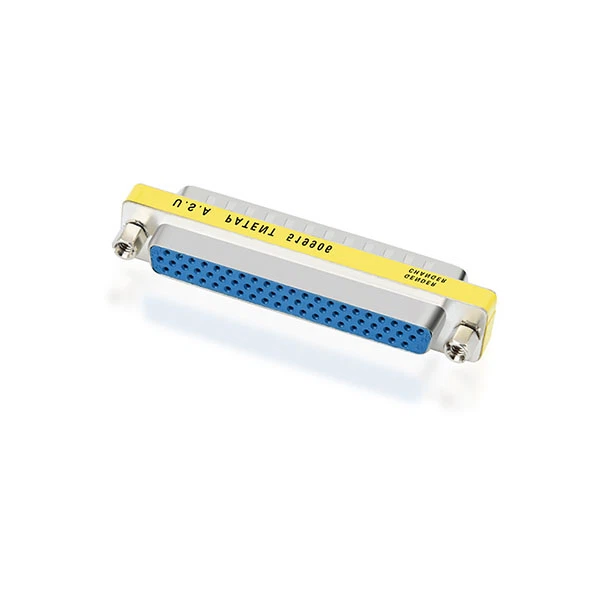
There are different types of serial adapters available in the market, each with its own set of features and specifications. Some common types include DB15 Female To RJ45 Computer Adaptor, HD62 Male To Female Slimline Gender Changer, and DB9 Female to Female Null Modem Adapter. These adapters come in various form factors and connector types to suit different applications.
Challenges of Managing Multiple Serial Adapters
Managing multiple serial adapters on a single computer can present several challenges. One of the most common challenges is the limited number of serial ports available on a computer. Most modern computers come with only one or two serial ports, which may not be sufficient for connecting multiple serial devices. This can lead to conflicts and compatibility issues, making it difficult to manage the adapters effectively.
Another challenge is the configuration and setup of the serial adapters. Each adapter may require different settings, such as baud rate, data bits, stop bits, and parity, to communicate with the connected devices. Configuring these settings manually can be time-consuming and error-prone, especially when dealing with multiple adapters.
Strategies for Managing Multiple Serial Adapters
To overcome the challenges of managing multiple serial adapters on a single computer, here are some strategies that you can implement:
1. Use a Serial Port Multiplier
A serial port multiplier is a device that allows you to expand the number of serial ports on a computer. It works by connecting to a single serial port on the computer and providing multiple serial ports for connecting serial devices. Serial port multipliers come in different configurations, such as 2-port, 4-port, 8-port, and even higher, depending on your requirements.
Using a serial port multiplier can significantly simplify the management of multiple serial adapters. You can connect all your serial devices to the multiplier and then connect the multiplier to the computer's serial port. This eliminates the need for multiple serial ports on the computer and reduces the chances of conflicts and compatibility issues.
2. Employ Virtual Serial Port Software
Virtual serial port software is another effective solution for managing multiple serial adapters on a single computer. This software creates virtual serial ports on the computer, which can be used to communicate with serial devices. You can configure the virtual serial ports to mimic the settings of the physical serial ports, allowing you to connect multiple serial devices without the need for additional hardware.
Virtual serial port software offers several advantages, such as easy configuration, flexibility, and cost-effectiveness. You can create as many virtual serial ports as you need, depending on your requirements. Additionally, the software allows you to manage and monitor the virtual serial ports from a single interface, making it easier to troubleshoot any issues that may arise.
3. Implement a Serial Port Server
A serial port server is a network device that allows you to connect serial devices to a local area network (LAN) or the internet. It works by converting the serial data from the connected devices into network data that can be transmitted over the network. You can then access the serial devices remotely using a computer or other network-enabled device.
Using a serial port server can provide several benefits, such as remote access, centralized management, and scalability. You can connect multiple serial devices to the server and then access them from anywhere on the network. This makes it easier to manage and monitor the devices, especially in large-scale applications.

4. Optimize Adapter Configuration
Proper configuration of the serial adapters is crucial for effective management. When configuring the adapters, make sure to use the correct settings, such as baud rate, data bits, stop bits, and parity, to ensure reliable communication with the connected devices. You can use the device's documentation or the manufacturer's website to find the recommended settings for your specific devices.
Additionally, it's important to avoid conflicts between the adapters. Make sure to assign unique COM ports to each adapter to prevent interference. You can use the Device Manager on Windows or the System Information utility on macOS to view and manage the COM ports.
Best Practices for Serial Adapter Management
In addition to the strategies mentioned above, here are some best practices that you can follow to ensure smooth and efficient management of multiple serial adapters on a single computer:
1. Keep the Drivers Up to Date
Outdated drivers can cause compatibility issues and performance problems with the serial adapters. Make sure to regularly check for driver updates from the adapter manufacturer's website and install them on your computer. Keeping the drivers up to date can help improve the stability and reliability of the adapters.
2. Use Quality Cables and Connectors
The quality of the cables and connectors used with the serial adapters can have a significant impact on the performance and reliability of the communication. Make sure to use high-quality cables and connectors that are compatible with the adapters and the connected devices. Avoid using damaged or frayed cables, as they can cause signal loss and interference.
3. Conduct Regular Maintenance
Regular maintenance of the serial adapters is essential to ensure their long-term performance and reliability. This includes cleaning the connectors, checking for loose connections, and inspecting the cables for any signs of damage. You can also perform periodic tests on the adapters to ensure that they are functioning properly.
Conclusion
Managing multiple serial adapters on a single computer can be a complex task, but with the right strategies and tools, it can be made easier and more efficient. By using a serial port multiplier, virtual serial port software, or a serial port server, you can expand the number of serial ports on your computer and simplify the management of multiple adapters. Additionally, following best practices such as keeping the drivers up to date, using quality cables and connectors, and conducting regular maintenance can help ensure the smooth and reliable operation of the adapters.
If you're looking for high-quality serial adapters or need assistance with managing multiple serial adapters on your computer, feel free to reach out to us. We're a leading serial adapter supplier with a wide range of products and solutions to meet your needs. Contact us today to discuss your requirements and explore how we can help you achieve seamless serial device connectivity.
References
- "Serial Communication Handbook" by Peter H. Anderson
- "Networking for Dummies" by Doug Lowe
- Manufacturer's documentation for serial adapters and related devices