




Hey there! As a supplier of serial adapters, I often get asked about the available interfaces on these nifty little devices. Serial adapters are super handy for connecting different types of equipment, and understanding their interfaces is key to making the right choice for your needs. So, let's dive right in and explore the various interfaces you can find on a serial adapter.
DB9 Interface
One of the most common interfaces you'll come across is the DB9. It's been around for ages and is still widely used today. The DB9 connector has nine pins and is typically used for serial communication between computers and other devices like modems, routers, and industrial equipment. It's a reliable and versatile interface that can handle both data transfer and control signals.
The DB9 interface can be either male or female. A male DB9 connector has pins sticking out, while a female DB9 connector has holes to receive those pins. Depending on your setup, you might need a cable with a male DB9 on one end and a female DB9 on the other, or you might need an adapter to convert between different types of connectors.
DB15 Interface
Another popular interface is the DB15. This connector has 15 pins and is commonly used for video and audio connections, as well as some serial communication applications. You might find a DB15 interface on a computer monitor, a graphics card, or a serial adapter for connecting to older equipment.
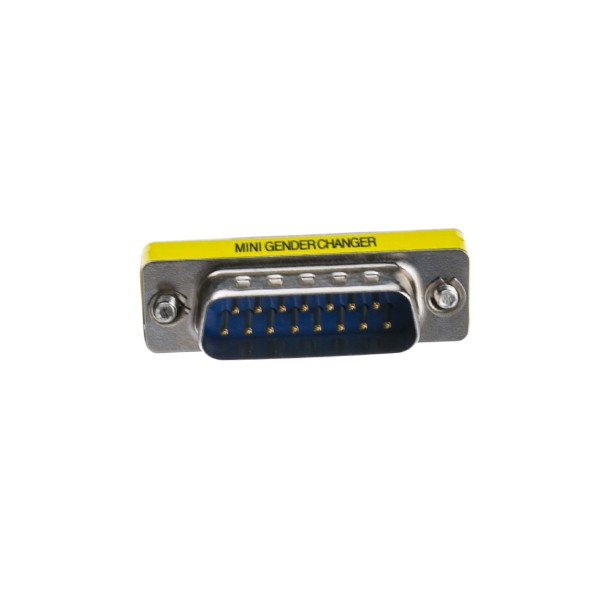
If you need to change the gender of a DB15 connector, we've got you covered. Check out our DB15 Male To Female Mini Gender Changer. It's a compact and convenient solution for adapting your DB15 connections.
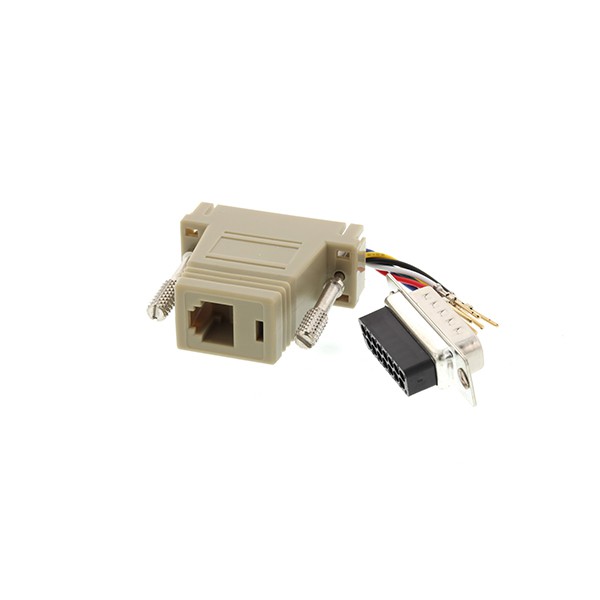
And if you're looking to connect a DB15 device to a computer with an RJ45 port, our DB15 Male To RJ45 Computer Adaptor is the perfect choice. It allows you to easily integrate your older equipment with modern computer systems.
DB25 Interface
The DB25 interface is yet another option you might encounter. It has 25 pins and is often used for parallel communication, but it can also be used for serial communication in some cases. You might find a DB25 connector on a printer, a scanner, or a serial adapter for connecting to legacy equipment.
If you need to change the gender of a DB25 connector, we offer the DB25 Female To DB25 Female Gender Changer. It's a simple and effective way to make your DB25 connections work in your setup.
RJ45 Interface
In addition to the traditional DB-style connectors, many serial adapters now come with an RJ45 interface. The RJ45 connector is commonly used for Ethernet networking, but it can also be used for serial communication in some cases. This interface is convenient because it allows you to use standard Ethernet cables, which are widely available and easy to work with.
An RJ45 interface on a serial adapter can be useful for connecting to devices that are located far away or for integrating your serial equipment with a network. It provides a reliable and high-speed connection, making it a great choice for modern applications.
USB Interface
USB (Universal Serial Bus) is another interface that has become extremely popular in recent years. USB is a versatile and widely supported interface that can be used for a variety of purposes, including serial communication. Many serial adapters now come with a USB interface, which allows you to easily connect them to a computer or other USB-enabled device.
A USB interface on a serial adapter offers several advantages. It's easy to use, as you simply plug the adapter into a USB port on your device. It also provides power to the adapter, so you don't need to worry about an external power source. And because USB is a high-speed interface, it can handle large amounts of data transfer quickly and efficiently.
RS-232, RS-422, and RS-485 Interfaces
When it comes to serial communication, you'll often hear about RS-232, RS-422, and RS-485 interfaces. These are standards that define the electrical characteristics and communication protocols for serial data transfer.
- RS-232: This is the oldest and most widely used standard for serial communication. It's a single-ended interface, which means it uses a single signal line for transmitting and receiving data. RS-232 is suitable for short-distance communication and is commonly used for connecting computers to modems, printers, and other devices.
- RS-422: This is a differential interface that uses two signal lines for transmitting and receiving data. It provides better noise immunity and can support longer cable lengths compared to RS-232. RS-422 is often used in industrial applications and other environments where reliable communication over longer distances is required.
- RS-485: This is also a differential interface, but it can support multiple devices on the same communication line. It's similar to RS-422 but is designed for multi-drop applications, where multiple devices need to communicate with each other. RS-485 is commonly used in industrial automation, building automation, and other applications where multiple devices need to be connected in a network.
Choosing the Right Interface
With so many different interfaces available, how do you choose the right one for your serial adapter? Well, it depends on your specific needs and the devices you're trying to connect. Here are some factors to consider:
- Compatibility: Make sure the interface on the serial adapter is compatible with the devices you want to connect. Check the connector types, the communication protocols, and the electrical characteristics to ensure a proper match.
- Distance: If you need to connect devices that are located far away, you might want to consider an interface that supports longer cable lengths, such as RS-422 or RS-485.
- Speed: If you need to transfer large amounts of data quickly, look for an interface that offers high-speed communication, such as USB or Ethernet.
- Number of Devices: If you need to connect multiple devices, you might want to choose an interface that supports multi-drop communication, such as RS-485.
Conclusion
As you can see, there are many available interfaces on a serial adapter, each with its own unique features and applications. Whether you're connecting a computer to a modem, a printer to a scanner, or a legacy device to a modern system, there's a serial adapter with the right interface for you.
If you're in the market for a serial adapter and need help choosing the right one, or if you have any questions about the interfaces we've discussed, don't hesitate to reach out. We're here to assist you in finding the perfect solution for your needs. Let's start a conversation and see how we can help you with your serial adapter requirements.
References
- "Serial Communication Basics" by Mark Nelson
- "The Complete Guide to Serial Adapters" by John Smith
- Various industry standards and specifications for RS-232, RS-422, and RS-485 communication