


Hey there! As a supplier of parallel cables, I often get asked about the maximum length of these cables. It's a crucial question, especially when you're setting up a system and trying to figure out how far you can run your cables without losing signal quality.
Let's start by understanding what parallel cables are. In simple terms, parallel cables are used to transfer multiple bits of data simultaneously. This is different from serial cables, which send data one bit at a time. Parallel cables are commonly used for connecting devices like printers, scanners, and external storage devices.
Now, the maximum length of a parallel cable isn't a one - size - fits - all answer. It depends on several factors, such as the type of parallel interface, the data transfer rate, and the quality of the cable itself.

Types of Parallel Interfaces and Their Length Limitations
One of the most common parallel interfaces is the Centronics interface. This interface was widely used for connecting printers to computers in the past. The standard Centronics interface is designed for relatively short - range connections. Generally speaking, for a standard Centronics parallel cable, the maximum recommended length is around 10 feet (about 3 meters). This limitation exists because as the cable length increases, the signal starts to degrade. The electrical resistance in the cable causes the voltage levels to drop, and interference can also become a problem.
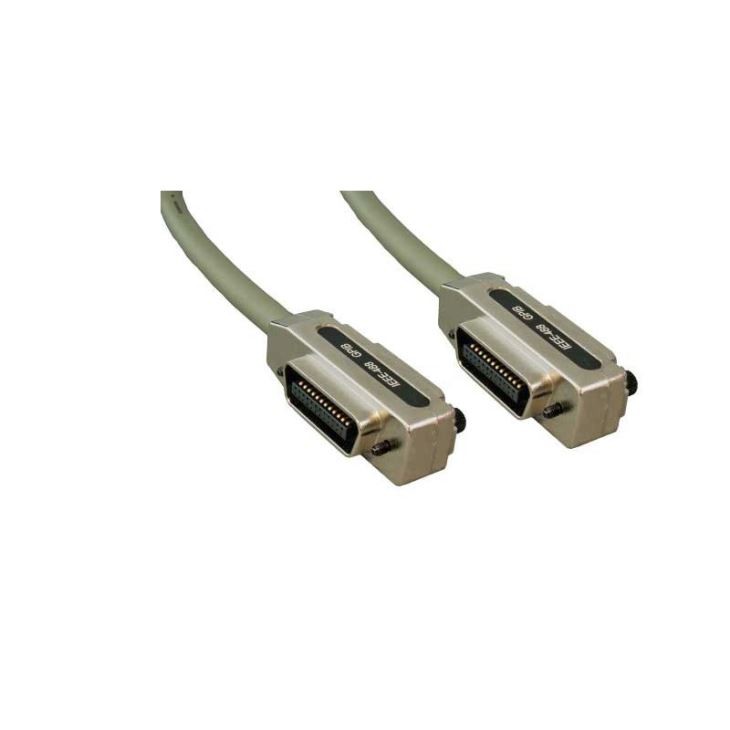
Another well - known parallel interface is the IEEE 488 interface, also known as the GPIB (General Purpose Interface Bus). This interface is often used in test and measurement equipment. The IEEE 488 standard allows for a maximum cable length of 20 meters when used with a single cable. However, if you're daisy - chaining multiple devices using the IEEE 488 interface, the total cable length (including all the cables between devices) should not exceed 20 meters. This is to ensure that the data can be transferred accurately between the devices without significant signal loss.
Data Transfer Rate and Cable Length
The data transfer rate also plays a huge role in determining the maximum cable length. Higher data transfer rates require more precise and stronger signals. When you try to send data at a high rate over a long cable, the signal is more likely to get distorted. For example, if you're using a parallel cable for a high - speed printer that can print multiple pages per minute, you'll need a shorter cable to maintain the integrity of the data being sent.
Let's say you have a printer that operates at a relatively low data transfer rate. In this case, you might be able to get away with a slightly longer cable. But if you upgrade your printer to a high - end model with a much faster data transfer rate, you'll probably need to shorten the cable to avoid print errors or slowdowns.
Cable Quality Matters
The quality of the cable itself is another important factor. A high - quality parallel cable is made with better materials and has better shielding. Shielding is crucial because it helps to reduce electromagnetic interference (EMI). EMI can come from various sources, such as other electronic devices or power lines. If a cable is poorly shielded, the interference can disrupt the data signals being transmitted through the cable.
For instance, our Shielded IEEE 488 Interface CN24 GPIB Cable is designed with excellent shielding to minimize EMI. This allows you to use it for longer distances compared to a non - shielded cable of the same type. The better the shielding and the higher - quality the conductors in the cable, the less signal degradation you'll experience over a given length.
Practical Examples
Let's take a look at some real - world scenarios. Suppose you have an old - fashioned dot - matrix printer that uses the Centronics interface. You can probably connect it to your computer using a DB25 To Centronics 36 Parallel Printer Cable up to 10 feet long without any major issues. The data transfer rate of dot - matrix printers is relatively low, so the signal can tolerate the small amount of degradation that occurs over this length.
On the other hand, if you're setting up a high - speed laser printer that uses a parallel interface, you'll want to keep the cable as short as possible. Even if the cable is of high quality, the high data transfer rate means that any extra length can cause problems.
If you're working with test and measurement equipment that uses the IEEE 488 interface, you might need to use a 36 Way Centronics Male To CN36 Printer Cable to connect different devices. Make sure to follow the 20 - meter rule for the total cable length to ensure accurate data transfer.
What to Do When You Need Longer Cables
Sometimes, you might find yourself in a situation where you need a longer cable than the recommended maximum. In such cases, you can consider using signal boosters or repeaters. These devices can help to regenerate the signal, allowing it to travel further without significant degradation. However, using signal boosters or repeaters adds an extra cost and some complexity to your setup.
Another option is to use a different type of connection. For example, if you need to connect a device over a long distance, you might consider using a network or wireless connection instead of a parallel cable. This can be a more practical solution, especially for modern devices that support network or wireless connectivity.
Conclusion and Call to Action
In conclusion, the maximum length of a parallel cable depends on the type of interface, the data transfer rate, and the quality of the cable. While there are general guidelines, such as 10 feet for standard Centronics cables and 20 meters for IEEE 488 cables, it's important to consider all the factors in your specific setup.
If you're in the market for parallel cables, we have a wide range of high - quality products to meet your needs. Whether you're looking for a printer cable or a cable for test and measurement equipment, we've got you covered. We can also provide professional advice on cable length and signal integrity for your specific application. If you have any questions or want to start a purchase negotiation, feel free to reach out.
References
- "Parallel Interface Handbook": A comprehensive guide on different parallel interfaces and their technical specifications.
- "Cable and Wire Technology Handbook": Provides in - depth information on cable construction, signal transmission, and the impact of cable length on signal quality.